
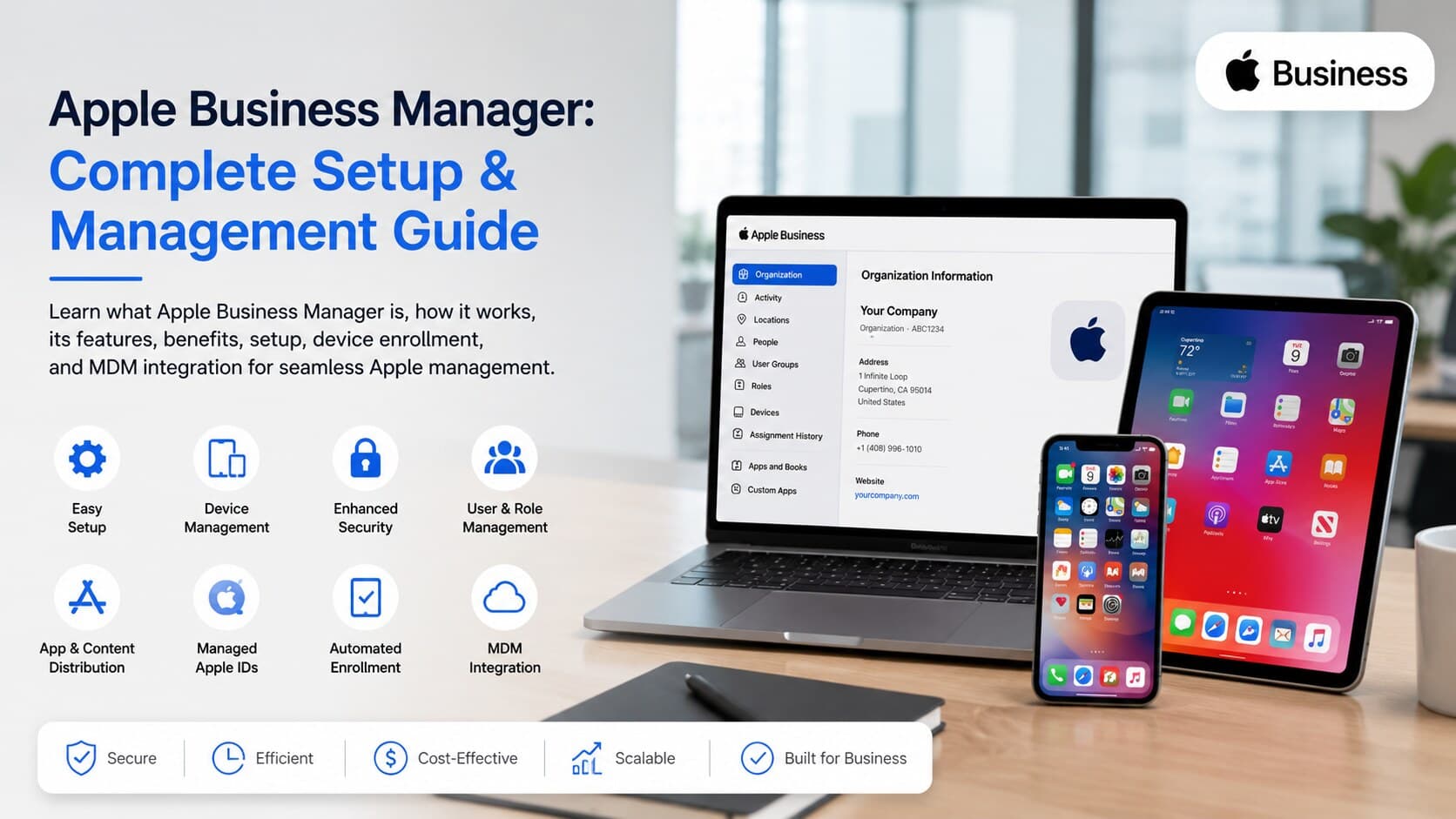
Apple Business Manager is a free online portal created by Apple which allows organizations to configure, deploy, and manage all Apple devices through an easy-to-use single web portal. This eliminates the need for manual configuration, integrates seamlessly with your MDM solutions and gives IT administrators full control over applications, user accounts, and the devices themselves. Organizations use ABM to get their iPhones, iPads, and Macs automatically enrolled into their infrastructure right out of the box without ever touching any of the devices physically. Simply put, it forms the core of all Apple device management for business.
What Is Apple Business Manager?
Apple Business Manager, or ABM as it's commonly known, is an online portal developed by Apple designed to make purchasing and deploying Apple devices easy for organizations. This enables IT administrators to deploy apps, accounts, and configurations to devices without physically interacting with any of them manually.
Apple's business manager software replaced more primitive management tools such as Device Enrollment Program (DEP) and Volume Purchase Program (VPP), merging all of their functions into one more user-friendly interface. Now, it is the main solution that most medium and large companies use to manage their Apple hardware, and it is also starting to be adopted by small teams.
How Apple Business Manager Works
From a technological point of view, the main concept behind the use of Apple Business Manager consists in linking three main elements: Apple business devices, your MDM provider, and employee managed accounts. The process starts when your company purchases Apple devices either from Apple Inc., or its authorized resellers, and the devices become automatically registered at your ABM account. Once this step is completed, the devices are assigned to the server of your MDM system where settings, applications, WiFi configuration and security policies are configured even before the employee receives it in the box.
IT specialists access the portal to assign roles and distribute applications en masse and set up managed Apple IDs for your team members.
Who Should Use Apple Business Manager?
Every organization which owns more than just a couple of devices made by Apple can use ABM. It is very handy for organizations that have remote or hybrid employees because they can ship the device directly to the employee's house, and it will already be configured before reaching them. Teams that use iPads in retail or iPhones in the field and creative teams that use Macbooks are all using ABM to maintain consistency.
Even small organizations with ten or fifteen devices find this software handy as it allows saving time spent on manual configuring, and it lowers the probability of lost or misconfigured device.
Why Businesses Need Apple Business Manager
Simplified Apple Device Management
Prior to Apple Business Manager, IT professionals had to manually configure each device and install apps and accounts. This method does not work when the company gets bigger and starts having dozens of employees. ABM allows simplifying all these processes and making them automated.
Centralized Administration
Everything in one place: inventory of devices, app acquisitions, access rights, and MDM associations. The admins will not be required to move between various Apple services or Excel sheets to know who owns what. Such a management approach is quite crucial especially as teams grow, and it goes together with overall digital strategy. Companies that try to apply digital marketing to increase their growth as small businesses often use ABM to manage internal procedures efficiently.
Improved Security and Compliance
Managing Apple IDs, restrictions for apps installation, and ability to wipe out devices remotely will lower the chances of confidential information leak because of the loss or theft of the device since the device will belong to the company but not to individual employees' personal accounts. The possibility to monitor everything about the device is a key element in the popularity of ABM in heavily regulated industries like healthcare and financial organizations.
Faster Employee Onboarding
New employees can get a device that has all necessary applications, emails, and security settings pre-installed. There is no need to wait while IT configures a laptop or a smartphone; there is also no chance that a new employee will forget about something important during installation. Such a "zero-touch" way of onboarding has become a key advantage for companies recruiting new workers for remote positions.
Key Features of Apple Business Manager
Apple Business Manager includes a variety of tools that allow to manage anything from procurement to the operation of devices. Among the main features are:
- Automated Device Enrollment – devices bought either directly from Apple or its authorized resellers are automatically enrolled in the MDM system and configure themselves when turned on.
- Managed Apple IDs – corporate accounts where business-related information is isolated from private one and is managed by IT administrators.
- App and Content Distribution – bulk purchase of applications and books and their subsequent assignment or recovery.
- Device Assignment to MDM – ability to transfer devices between MDM systems when there is a change of departments or resellers.
- Role-Based Access Management – limitations of access rights for various roles inside IT.
- Volume App and Book Purchases – Obtain licenses in bulk quantities along with application distribution based on your organization's applications.
Each of these components works in unison with one another, rather than being used independently, which gives ABM an overall feel of a management solution rather than just a bunch of settings.
Benefits of Apple Business Manager
Zero-Touch Device Deployment
Devices can be shipped to the office or an individual’s address and configured on the first Wi-Fi connection attempt. The IT department does not need to configure the hardware at all, which greatly saves time.
Reduced IT Workload
Tasks that previously required several hours of work to perform manually reduce down to several minutes of supervision. More time is left for problem-solving.
Enhanced Data Security
The data will remain protected inside the company account while the device will be able to be remotely wiped out. The ability to restrict certain apps installation limits the attack surface.
Better Device Lifecycle Management
Every device is tracked through all stages – purchase to retirement. In case of an employee leaving the company, a device and data stored inside of it can be easily reconfigured.
Improved Business Productivity
The employees get working equipment, the IT department has less time for setup problems and support tickets become fewer. Moreover, some companies relate device distribution to their growth campaigns, just as they would do while preparing a campaign based on lead generation strategies for businesses.
How to Set Up Apple Business Manager
Create an Apple Business Manager Account
One needs to begin with visiting business.apple.com where the organization provides its legal details, D-U-N-S number and a verified contact to verify that the company is real and grant the access to the website.
Verify Your Organization
The D-U-N-S number is usually cross-referenced by Apple with the publicly available information about businesses. It takes from several days to up to two weeks for verification to occur, which depends on the matching process with Apple’s records. Big companies which have enough information about themselves are verified faster.
Add Administrators and Users
After your organization is verified, you as the owner of the account can add additional administrators and give them certain roles, such as device manager or content manager.
Connect an MDM Solution
ABM does not directly manage devices; it delegates this task to an external MDM. There are many MDM solutions on the market – for example, Jamf, Kandji, Mosyle, or Microsoft Intune. Connecting an MDM solution requires uploading the server token created within ABM.
Assign Devices to Your MDM Server
Upon connecting the MDM solution, all devices bought from Apple and its authorized resellers will be automatically enrolled into the ABM device list. The admins can now assign each device to the corresponding MDM server, thus starting the automated configuration process.
Configure Managed Apple IDs
The last step is creating managed Apple IDs for employees, whether manually or via federation with an identity provider such as Google Workspace or Microsoft Entra ID, in order to have a common set of credentials for use in business systems.
Apple Business Manager and MDM Integration
What Is Mobile Device Management (MDM)?
MDM is a software solution allowing IT to remotely configure a device fleet by sending policies, applications, and limitations. This is how MDM works under the hood, applying the rules configured in ABM.
How Apple Business Manager Integrates with MDM
ABM provides the MDM with information about devices and purchases, whereas the MDM does all the configuration and management. It can be considered that ABM is a registry and purchasing center and MDM is the tool working with devices daily.
Benefits of Automated Device Enrollment
Since it is done automatically when the device gets connected to the Internet, an employee will not be able to avoid setup steps or security policies by trying to reset the device.
Recommended MDM Solutions
Jamf Pro suits better for large organizations requiring a lot of customizations. Kandji and Mosyle will suit those organizations preferring simplicity in pricing models. Microsoft Intune would fit well those who use Microsoft 365. All these Mobile device management offer free trials, which will allow comparing their dashboards and pricing plans before choosing any of them for their whole device fleets. IT departments need to pay attention to reporting features as well since it is very important to monitor devices continuously after initial setup.
Apple Business Manager Support and Login
How to Access Apple Business Manager Login
Admins log in on business.apple.com using the managed Apple ID and, preferably, two-factor authentication as extra security measures. The dashboard will automatically appear right inside the organization’s account after the login process.
Common Login Issues and Solutions
Most common login problems include locked accounts, expired verification codes, and incorrect Apple IDs. The majority of these issues can be fixed by changing the password for the managed Apple ID or by ensuring two-factor authentication codes are inputted within the validity period.
Apple Business Manager Support Resources
Apple provides business-specific support through the telephone, live chat, and an informative help website. Large corporations with an Apple Business Manager contract usually get an assigned account manager.
Managed Apple IDs Explained
What Are Managed Apple IDs?
A managed Apple ID refers to the creation of an Apple account by the organization rather than the individual. It is also owned by the organization and can control the password policy and apps.
Managed Apple IDs vs Personal Apple IDs
Personal Apple ID is bound to an individual throughout his/her lifetime and includes purchases, pictures, and iCloud data of personal nature. Managed Apple IDs are created for work-only purposes and can be wiped or revoked without impacting anything that belongs to the employee personally.
Best Practices for Managing User Accounts
- Make sure to keep your managed IDs separate from your personal Apple ID.
- Turn on two-factor authentication for each managed ID.
- Use federation of the account with the help of the existing identity provider.
- Revive managed accounts right after the departure of the respective employee.
- Regularly audit account privileges for outdated accesses.
Supported Devices in Apple Business Manager
iPhone
iPhones are one of the most common device types to enroll in Apple Business Manager due to their popularity among employees working in the field, salespeople, and telecommuters.
iPad
iPad devices are popular in retail, hospitality, and education-related business organizations and typically have one application locked via supervised mode.
Mac
Macs are enrolled for creative teams, developers, and general office staff, with ABM handling everything from initial setup to ongoing software updates through the connected MDM.
Apple TV
Apple TVs get used in conference rooms and lobbies for presentations or digital signage, and ABM keeps them updated and configured without anyone needing to plug in a keyboard.
Apple Vision Pro
As a newer addition to the supported lineup, Apple Vision Pro can now be enrolled and managed the same way, which matters for companies experimenting with spatial computing for training or design work.
Common Apple Business Manager Challenges
Enrollment and Activation Issues
Devices sometimes fail to auto-enroll if they weren't purchased through a recognized channel, or if reseller information wasn't submitted correctly during the original purchase.
Device Assignment Problems
Reassigning a device between MDM servers can occasionally get stuck if the device wasn't properly removed from the previous server first, requiring manual intervention from Apple support.
Managed Apple ID Conflicts
Conflicts happen when an employee already has a personal Apple ID tied to the same email address the company wants to use for their managed account, which blocks creation until it's resolved.
MDM Synchronization Errors
Token expiration is the most common cause of sync failures between ABM and an MDM. Renewing the server token, which typically lasts one year, usually fixes the issue right away.
Apple Business Manager vs Apple School Manager
Key Differences
While being almost identical systems, Apple School Manager is designed specifically for educational establishments and provides such additional tools as integration with Classroom app, support for Shared iPads for students, and easier user account set up for kids. Apple Business Manager, however, is intended for corporate use and does not have any special tools for education.
Which Platform Is Right for Your Organization?
Apple School Manager is the right tool for schools and colleges; Apple Business Manager is for corporations, non-profits, and government institutions. If you make the wrong choice, you miss important tools tailored specifically to your needs.
Conclusion
ABM has now emerged as the default method for managing Apple devices, saving time, ensuring security, and providing the ability to centralize all aspects of purchasing and managing these devices. By implementing an MDM and integrating it with ABM, organizations have transformed the laborious task of device management into a completely automated process. From having ten devices to even ten thousand, proper implementation of ABM in the beginning would ensure reduced number of issues for the helpdesk team, fast onboarding, and greatly minimized risk if the device gets lost. For any business organization focused on scaling itself and its efforts, device management should remain a key part behind the scenes in addition to the front-end activities.
FAQ’s
1.Is Apple Business Manager free?
Yes, Apple Business Manager is absolutely free to use for all eligible organizations. You do not have to pay any subscription fees or licensing costs for accessing the portal. All that you will need to pay for includes the devices themselves, purchase of apps/books from the volume purchasing program, and a third-party MDM software, which generally charges on a per-device basis either monthly or annually.
2.Can small businesses use Apple Business Manager?
Sure, any small business could sign up for Apple Business Manager provided that they have a valid D-U-N-S number and are able to prove their official business identity. It works perfectly well even for small organizations that possess very few devices.
3.Does Apple Business Manager require an MDM solution?
On the technical side, you can certainly create managed Apple IDs and buy apps in bulk even without using an MDM, however most value that ABM can bring will only be unlocked when used in conjunction with it. Without an MDM, it is impossible to configure your device automatically, establish security policies, and manage the device remotely. In case when you have more than a few devices enrolled, the usage of MDM would be a necessity.
4.How do I enroll existing Apple devices?
It is usually possible to add your already existing devices by using Apple Configurator – this way you will be able to manually enroll your devices into your company's ABM account. After that, your device will start acting like a device purchased through Apple or its authorized reseller.
5.Can I manage Macs, iPhones, and iPads from one platform?
This is one of the key features offered by Apple Business Manager – all Apple device types including Macs, iPhones, iPads, Apple TVs and now Apple Vision Pro can be managed via a single platform using MDM for enforcing different policies depending on the type and use case of particular devices.
6.Is Apple Business Manager secure?
Apple Business Manager was designed to be a solution secure enough for corporate purposes, offering such features as two-factor authentication, role-based access for admins and isolation of managed and personal Apple IDs. Combined with remote management features like device wipe and lock by an MDM it is much less likely for corporate information to end up in wrong hands than when using personal unmanaged devices.